
Friday Game Vote Form
Client
My tabletop roleplay games group, so roughly 6 to 8 people.
Brief
To produce an electronic form to allow my RPG group to vote on which game we’re going to play next.
Medium
HTML 5, CSS 3, JavaScript, JSON, & PHP
Tools
Atom text editor, Firefox & Chrome developer tools.
Abstract
In my gaming group is in the usual position that most of us have things that we want to run, so we hold a vote at the start of each game’s run to find out what the next one is going to be.
Previously we had been doing this on scrappy bits of paper, but this was both slow, and messy, it was also an open vote which led to some behavioural oddness. So I offered to make something so that the vote could be both easier and less disruptive to the game session.
The requirements that we arrived at were,
- Secret Ballot – It shouldn’t be generally visible how the vote is going, or who voted for what.
- Space for game pitches – The form needed to have space for people to pitch their games, both the blurb for the story, and the style of game that they intend to run.
- Work on mobile – People needed to be able to at least cast their votes from their phones, so it can be done during a lunch break or the like.
The vote form as presented here is the ninth iteration, every time we use it we find a few more features to add, or tweaks to make.
The current iteration is version 3.2 which mostly focused on quality of life improvements,
a successfully cast vote was made more definite with a modal notification dialogue, and a voter registration system so each participant can only cast one vote.
The game cards were made collapsible so that sorting them on small screens is easier.
Text is now completely sanitised, turning any script active characters into escape characters.
The form now sends me a notification over Discord when changes are made.
Operation
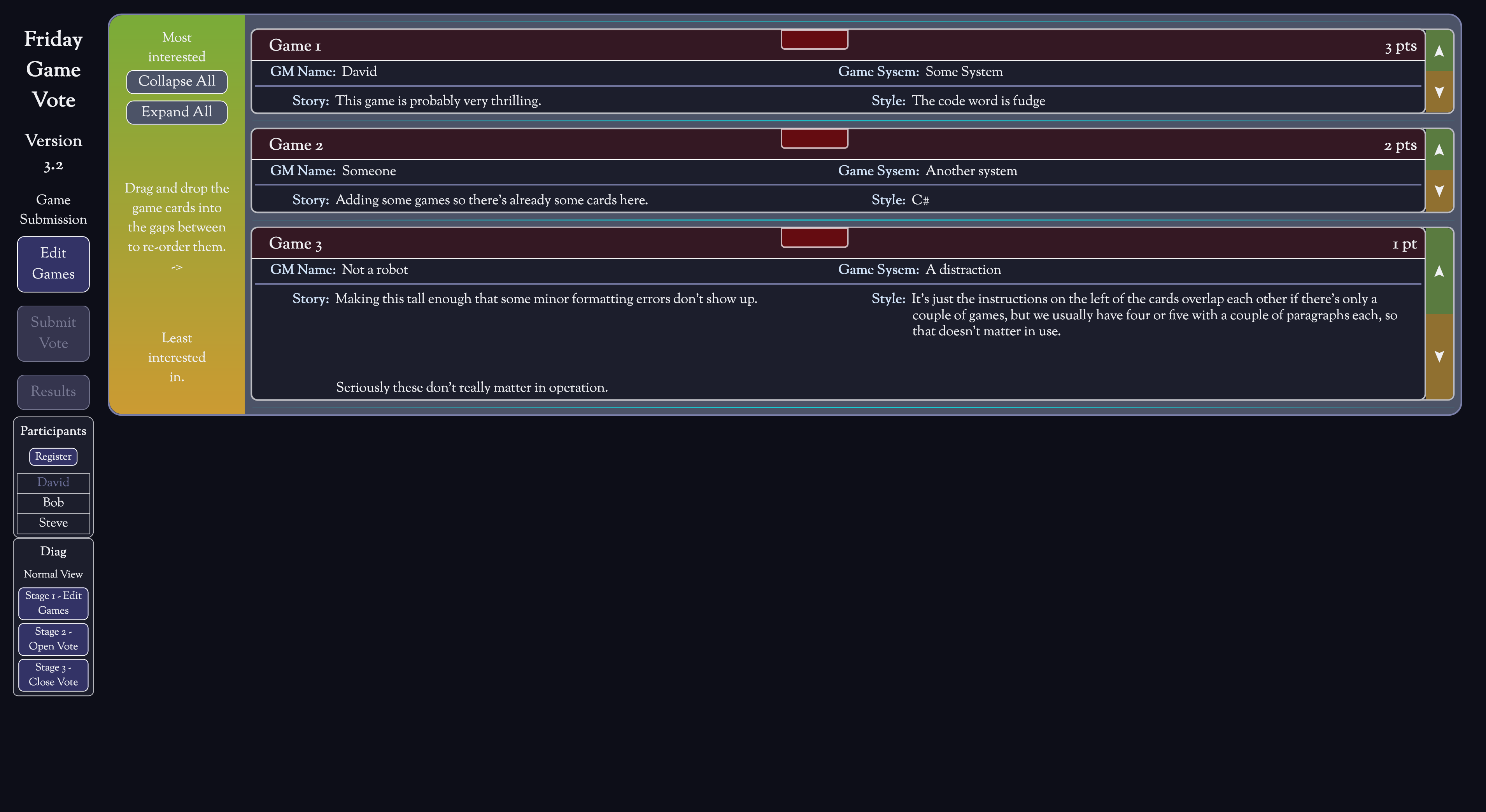
The vote from has three modes, game submission, voting, and results, when deployed these are controlled from a separate admin page, but here I’ve left my “Diag” box intact so that the form can be explored.
The form is ‘protected’ by a code word, which is there more to stop bots from filling it with nonsense than actual security, the code word is fudge all in lower case.
Mode 0 - Game Submission
In game submission mode, users can add and edit game descriptions through the ‘Edit Games’ dialogue, as the user base is very small we’re working on the honour system for not editing each other’s game rather than implementing a full user ID system.
The form requires that games have a Title, a GM, and a System, Story and Style pitches are optional so that they can be added later.
In this mode participants can also register to vote by closing the Edit Games dialogue and choosing “Register” from the side menu.
Mode 1 - Voting
In voting mode game submission is locked, though voter registration is still open.
To vote users reorder the game cards either by using the arrows at the side of each card, or on desktop by dragging and dropping cards.
Mode 2 - Results
In this mode users can’t edit games, register to vote, or cast votes, they are able to read the game descriptions, and view the vote results by clicking the ‘Results’ button.